
You want to sell your digital products.
You’ve maybe tried Instagram, Facebook, or both.
And you’ve noticed that posting every single day still doesn’t guarantee a single sale.
That’s not a you problem, it’s a platform problem.
Selling on Pinterest is different, and once you understand why, you’ll wonder why you didn’t start here sooner.
In this post, I’ll share exactly how to sell digital products on Pinterest, how much it costs (spoiler: nothing, or almost nothing), and what actually moves the needle.
TL;DR:
– You can start selling digital products on Pinterest completely for free.
– Set up a business account, use keyword-optimized pins, and link them to your blog posts or your digital products.
– Pinterest works like a search engine, so one good pin can bring you traffic for months or even years.
This post contains affiliate links (including Amazon Associate links). If you make a purchase through these links, I may earn a small commission at no extra cost to you. As an Amazon Associate, I earn from qualifying purchases. Please read full disclosure for more information. I also use AI to help me write, but I tell it exactly what to say based on my results and experiences.
Why Selling on Pinterest Is Better Than Social Media
Pinterest is a search engine, not a social platform. And here’s the difference:
- When someone opens Instagram, they scroll for entertainment.
- When someone opens Pinterest, they search for solutions.
They type something like “digital planner for small business owners” or “Canva templates for coaches” and they get results.
That person came with a problem to solve.
That’s a completely different buyer than someone mindlessly scrolling through funny dog videos.
I switched to Pinterest after Facebook started draining me completely. I still post on FB daily, but it’s not my focus anymore, and let me tell you why.
Showing up daily, chasing interactions, and creating content that disappears 24 hours later is just YUCK!
I felt like a little hamster running on a wheel that never stopped turning.
Then I saw that pins can bring traffic for months or even years from a single piece of content (article).
That’s way less work for me. Plus I can repurpose the blog post for social content.
So I committed to Pinterest back in 2019, and it paid off.
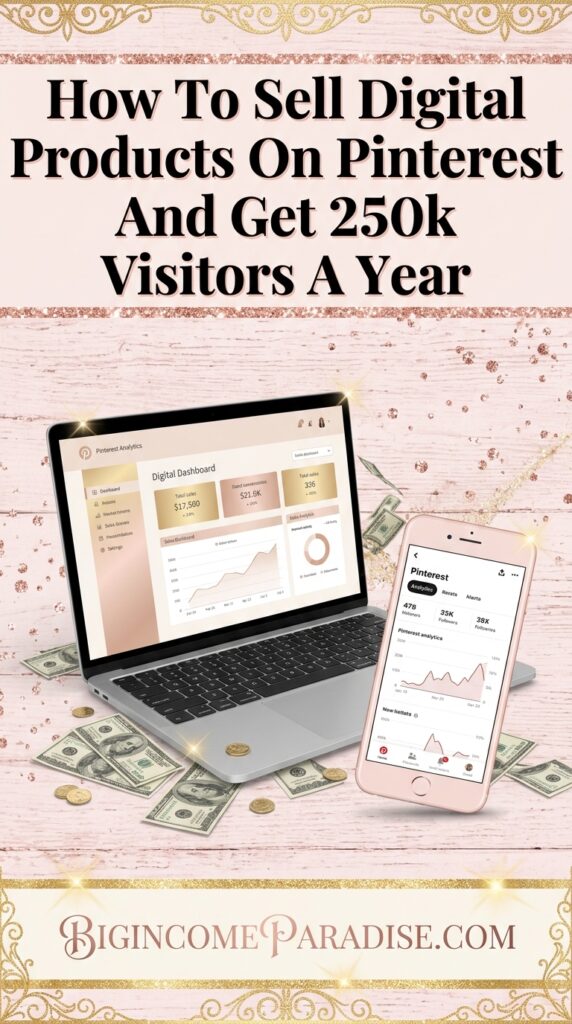
In 2025, I got 252,583 blog visitors from Pinterest alone.
I didn’t pay for ads. The pins were doing their thing while I was off spending time with family or sleeping.
If you’ve been hustling on social media and wondering why your digital products still aren’t selling, this might be the answer.
Why Pinterest Buyers Are Different From Social Media Visitors
This is where psychology comes in. These 2 types of visitors behave differently once they visit your site/content.
The person who found you while scrolling Facebook wasn’t looking for you.
You interrupted their entertainment. Their brain is in passive mode, not decision mode.
So getting them to buy something requires a lot more convincing because you showed up uninvited.
The person who typed a specific phrase into Pinterest and clicked your pin is already in problem-solving mode. They went looking for a solution. Their brain is leaning forward, ready to act.
Buyers who seek you out convert at a much higher rate than buyers you interrupt. That’s how human psychology works.
Join other action takers and get the plan to see how these phases work together, so your hard work finally pays off.
Step-by-Step Guide on How to Sell Digital Products on Pinterest
Set Up Your Free Business Account
First thing: create a free Pinterest business account.
You need the business version because it gives you access to analytics and a scheduler. Two things you’ll actually use.
Once you set it up and optimize it, write your bio to explain who you help and how.
Use the keywords your ideal buyer searches for. If you sell digital products for content creators, say that. If you help people make more money with AI, say that.
Specific bios bring in the right people.
Also, claim your website.
Every time someone saves an image from your blog, Pinterest links it back to your article.
Free visibility, and zero effort from you.
This whole setup takes 20 minutes. There’s no reason to spend a week on it.
Link Directly to Your Digital Products Or Blog Posts
Once you’re set up, you need to decide where your pins will send people.
You can link pins directly to your digital product page. I recommend using Payhip for hosting your products. It has a free plan, but they take 5% per sale.
You won’t have any monthly fee or setup cost. You upload your files, set your price, and that’s it.
Payhip also delivers the digital product automatically the moment someone pays. So you never have to send anything manually.
Now, I have to tell you my experience with linking directly to a product. This works best when the keyword you’re targeting has a strong buyer intent.
Someone searching “printable content planner for beauty business” is probably ready to buy. You can send them straight to the offer.
But most searches are informational. Someone searching “how to make money selling digital products” wants to learn something first.
If you send them to your sales page, they probably won’t buy. And there are a few reasons why:
- They are not in the buying stage
- They don’t know you or trust you yet
This is where having a blog makes such a big difference.
You write a post that actually helps the reader. You mention digital products naturally inside it, and by the time they reach that mention, they already trust you more.
It’s also smart to get them on your email list to deepen that relationship.
People buy from people they trust.
I link most of my pins to blog posts, not directly to product pages. My conversions are better that way.
If you want to skip months of figuring out what to create and how to sell it, my Prompt-To-Profit System gives you the complete AI prompt chain to build your digital product and a full sales system in 7 days.
Use Keywords in Every Pin
Pinterest matches what people type into the search bar with the text on your pin.
That means your pin title, pin description, and board names all need to include the actual phrases your buyers search for.
Specific phrases, not vague ones. For example, “digital products for beginners” will do more for you than “digital products.”
There are many ways you can find keywords and boost your visibility.
The easiest way to find those phrases is with Pin Inspector. It shows you real search data from Pinterest, so you know exactly what people are looking for right now.
I used to only use the Pinterest search box to find phrases. But the problem was, I couldn’t see how many people were actually searching them.
That’s like doing your makeup in the dark. You could come out of the room looking okay…or as a clown hehe.
Once I started using Pin Inspector, my traffic started growing faster.
So do the research first. And when you have a list of them, use them in pin titles and descriptions.
Include 3-5 keyword phrases, write naturally, and describe what the reader will find when they click.
Link Every Pin to the Right Destination
As I mentioned before, here’s what you should do:
- If you found a buyer-intent keyword, you can send them to your product page.
- But if it’s an informational keyword, then send them to a blog post that teaches something first. You can still mention your product inside it.
It’s also smart to grow your email list with Pinterest. All the platforms out there are borrowed land.
They can decide to delete your account without a reason. And all your hard work is gone overnight.
That’s not the case with your email because you own it.
How Much Does It Cost to Sell on Pinterest?
Almost nothing, and that’s one of the best things about it.
- A Pinterest business account is free.
- A Payhip store is free (they just take 5% from every sale you make).
- Pinterest’s built-in scheduler is free.
You can start using Pinterest to sell digital products this week with ZERO budget. That will make your piggy bank sooo happy.
The costs that come up later are mostly tools that help you work faster.
Pin Inspector is worth it because it’s only a one-time cost. Plus all the time you’ll save – that’s priceless!
Pinterest ads are optional, and most people don’t need them at the start or even later.
They make more sense once you have a product already converting organically and you want to push more traffic to it.
The only hidden cost nobody mentions is TIME.
- Learning how to research keywords properly
- Writing pin descriptions that get clicks
- And creating digital products people actually want
All of that takes real time and real testing.
I spent months figuring out what worked before I saw good results.
That’s exactly why I use AI now to speed up the parts that used to eat up my whole week.
If you’re starting from scratch, you can have a digital product on Payhip with a sales system set up in just 7 days. Just use my Promot-To-Profits System and follow the steps.
How can I start selling digital products on Pinterest?
Open a free Pinterest business account, optimize your profile with search keywords, and create pins linked to your product page or a blog post where you mention your offers. Use Payhip to deliver your products automatically with no upfront cost, just 5% per sale.
What are the best strategies to promote digital downloads on Pinterest?
Create pins that solve a specific problem your buyer is already searching for. Research your keywords with Pin Inspector before you design anything. For informational searches, link to a blog post first. For buyer-intent searches, link straight to your product page.
Which tools help automate digital product sales on Pinterest?
First, I need to make it clear that there’s no full automation. You’ll still have to use the tools. Pin Inspector finds keywords your buyers are already searching. Pinterest’s built-in scheduler is free, and it lets you schedule up to 100 pins. Payhip delivers your digital products automatically the moment someone buys, so you never have to send anything manually.
The Bottom Line
If you’ve been looking for a way to sell digital products without spending money on ads or showing up every single day, selling on Pinterest is it.
You create a pin with the right keywords. You link it to content or a product page that earns the trust and closes the sale.
And then that pin keeps working for months or even years while you’re doing other things.
How to sell digital products on Pinterest doesn’t have to be complicated.
Get the setup right, get the keywords right, and Pinterest does a lot of the heavy lifting for you.
Quick recap:
- Free Pinterest business account, claimed website, keyword-rich bio
- Payhip for your digital storefront, free plan with 5% per sale
- Pin Inspector for keyword research before you create anything
- Blog posts for informational searches, product pages for buyer-intent searches
- Pinterest’s free scheduler to plan your pins weeks ahead
Ready to build your digital product and full sales system in 7 days? Prompt-To-Profit System gives you the complete AI prompt chain to make it happen.
Got a question about selling on Pinterest? Drop it in the comments.

 Petra is a full-time blogger and CEO of Big Income Paradise. She teaches digital creators how to get more Pinterest traffic, generate leads, create better content & digital products, and make money online with the help of AI.
